First Job
This page walks through the simplest path to your first result in Light Lane. You do not need to understand every tool before you start. The goal is to complete a clean, safe first run.

Light Lane docs are built for quick answers under production pressure. Start with setup, then move to calibration, controller workflows, and troubleshooting as your process matures.
If you are new, run these in order. You will go from first import to repeatable output.
This page walks through the simplest path to your first result in Light Lane. You do not need to understand every tool before you start. The goal is to complete a clean, safe first run.
Light Lane connects to your laser from the Connect button in the top bar.
This page covers how to bring artwork into Light Lane and place it accurately on the canvas.
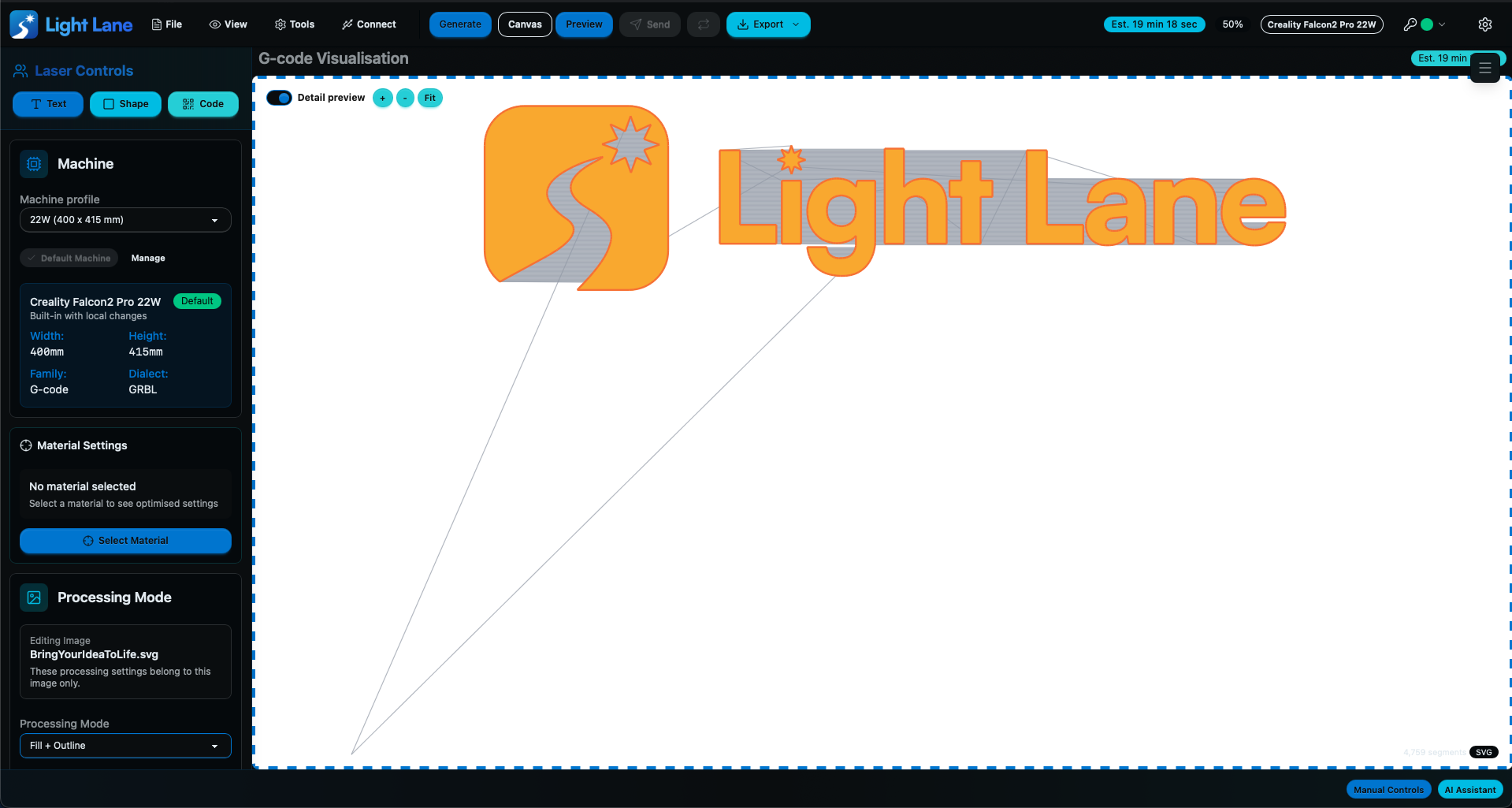
Once your artwork is positioned and settings are chosen, the last steps are to generate the job, check it in Preview, and then send or export it.
Search full doc content and jump straight to the matching section.
Type at least 2 characters to search all docs.
This page walks through the simplest path to your first result in Light Lane. You do not need to understand every tool before you start. The goal is to complete a clean, safe first run.
Light Lane connects to your laser from the Connect button in the top bar.
This page covers how to bring artwork into Light Lane and place it accurately on the canvas.
Once your artwork is positioned and settings are chosen, the last steps are to generate the job, check it in Preview, and then send or export it.
These files expose the published docs in formats that are easier for AI tools, browsing agents, and retrieval systems to consume.
Use support when production is blocked, or run a trial and validate the workflow with your own machine and material.